1
Works offline
Downloaded forecasts stay on your device. Read them offline, and reconnect to refresh the data or load another location, model or date.
Hourly forecasts and weather widgets. Compare forecasts from different models for your region.
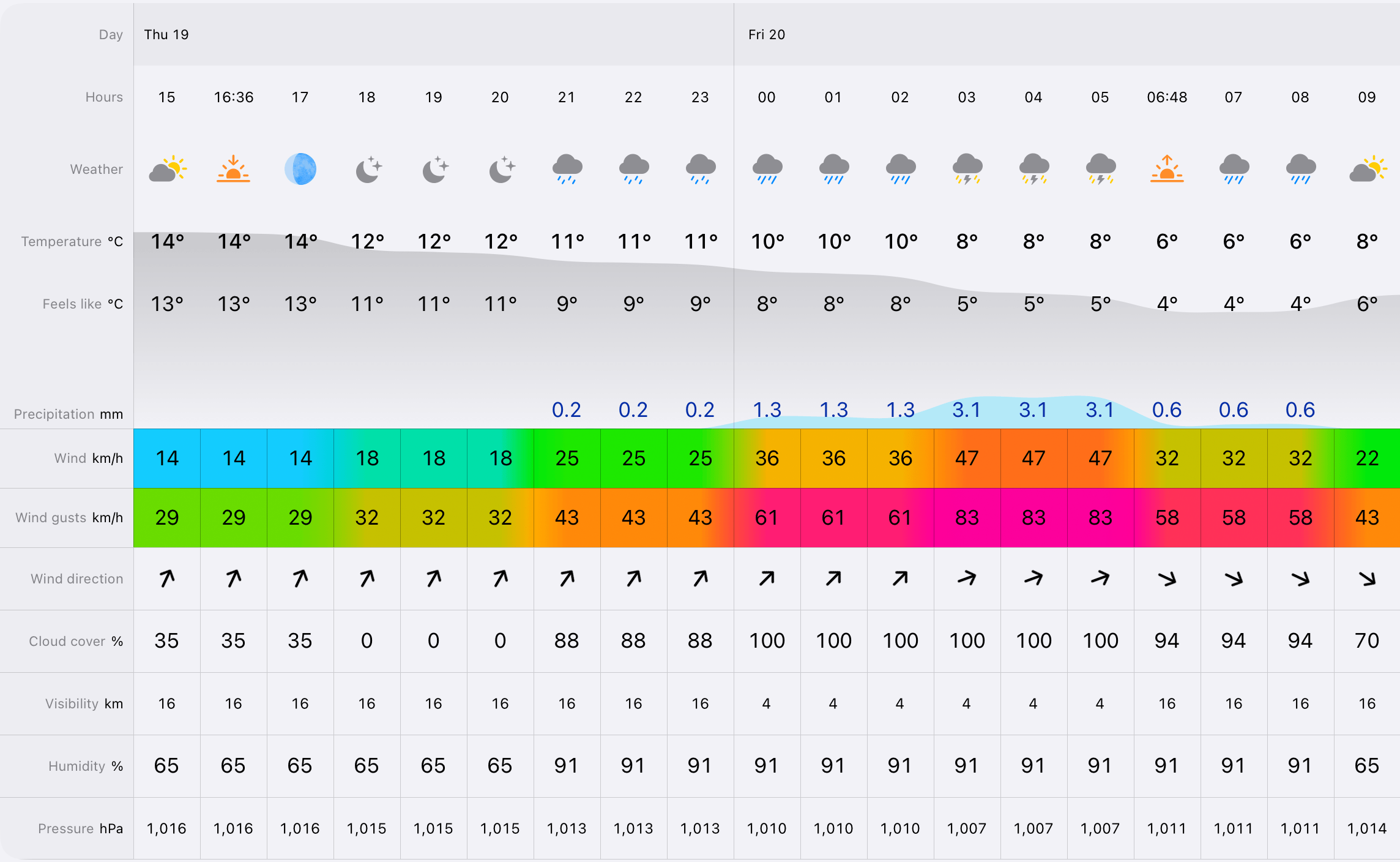
See temperature, precipitation, wind and gusts in one hourly table. Switch between forecast models to compare their predictions.
Weather Pro
Offline Weather Forecast & Widgets
Compare hourly forecasts from different models for your area before a run. Look for a dry or calmer hour and download the forecast before you leave so you can check it offline.
Features
See temperature, precipitation, wind and gusts in one hourly table. Switch between forecast models to compare their predictions.
Downloaded forecasts stay on your device. Read them offline, and reconnect to refresh the data or load another location, model or date.
Switch between ECMWF IFS, DWD ICON and NOAA GFS. Select one-hour or three-hour views and your preferred units.
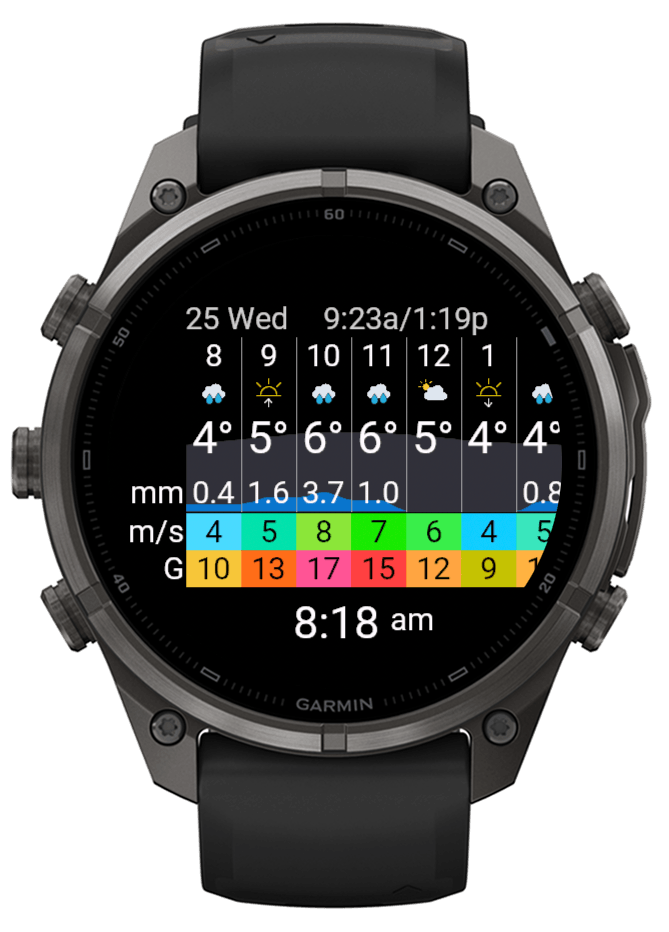
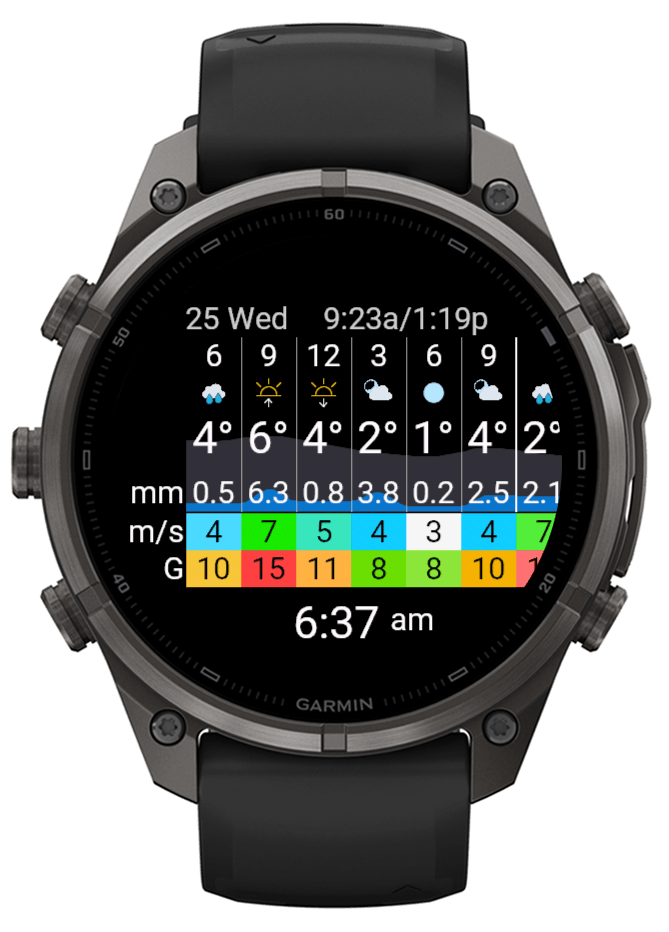
Weather Pro is available for iPhone, iPad, Mac, Apple Watch and Garmin watches.
Garmin
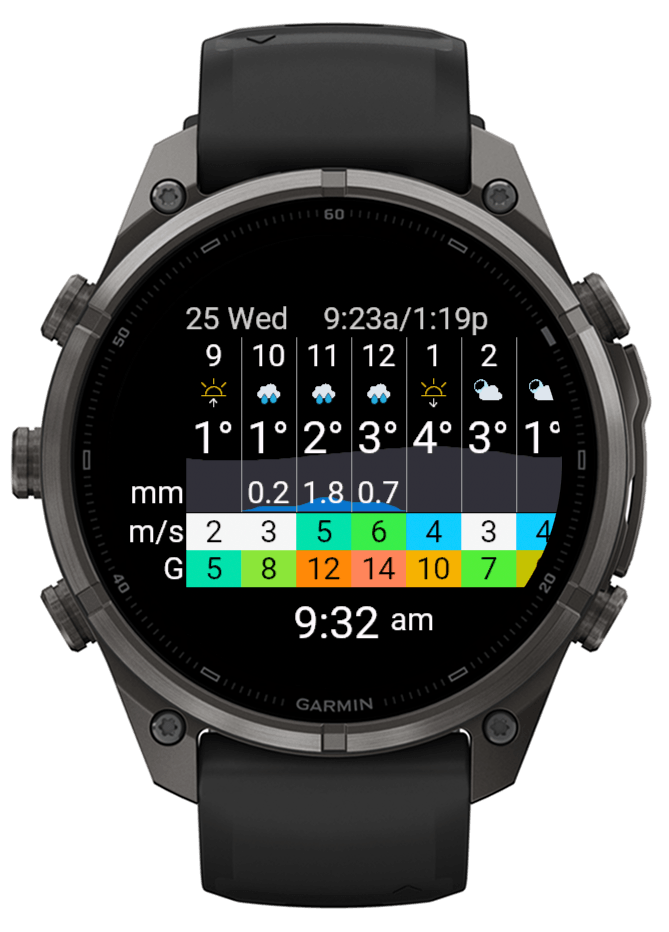
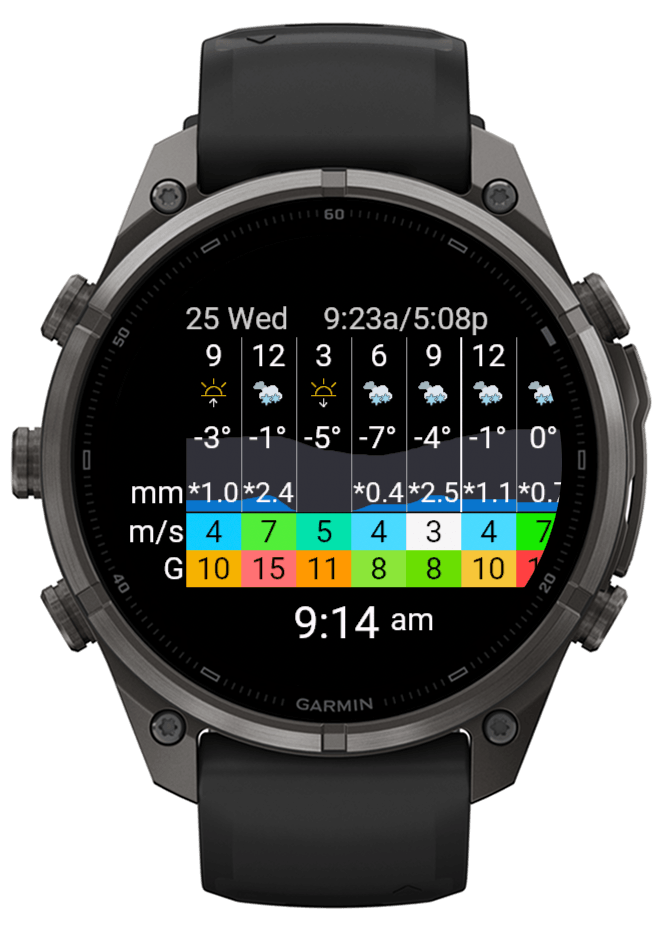
Weather data
Choose the weather fields and units you want to see. Use an hourly view for detail or a three-hour view for a broader forecast.
Follow temperature changes through the day.
See forecast precipitation for each hourly period.
Read wind speed and gusts in the units you use.
Move between available days and their forecast summaries.
Keep cities and named coordinate locations together.
Switch models to view another forecast for your place.
Choose a place, model, interval and units for each supported widget.
Check a compact forecast and supported complications.
Choose the weather rows shown in the app.
Set temperature, wind, precipitation and pressure units.
Widgets
Weather widgets for the Home Screen, Lock Screen, StandBy, Mac desktop and Notification Center, plus Apple Watch Smart Stack and complications. Available sizes and settings depend on your device and OS.
Language
Choose the website language here and the app language in Settings. Dates and numbers follow your regional preferences.
FAQ
Yes. Forecasts downloaded for a place and model can be read offline. Load the dates and hours you need while connected. A saved place alone does not include its forecast. New locations, models, dates and updates need internet. Widgets use their downloaded forecast data; the operating system controls refreshes.
Current Location is optional. You can choose a saved city, search for a place or enter named coordinates without granting device location access.
Use Weather Pro on iPhone and iPad with iOS or iPadOS 16 or later, Mac with macOS 13 or later, and Apple Watch with watchOS 9 or later. For Garmin watches, choose the Garmin Connect edition and check your model on its store page. Apple widget sizes and settings follow your device and system version.
The app shows hourly temperature, precipitation, wind and gusts, with daily summaries where data is available. Choose a forecast model, a one-hour or three-hour interval, your units and the weather fields to display.